Oct 7, 2026Business Solutions
Testing Wireless Charging Through a Case
A case can slow wireless charging or stop it. A simple self-test for charging speed and magnet hold, run before your order leaves the factory.
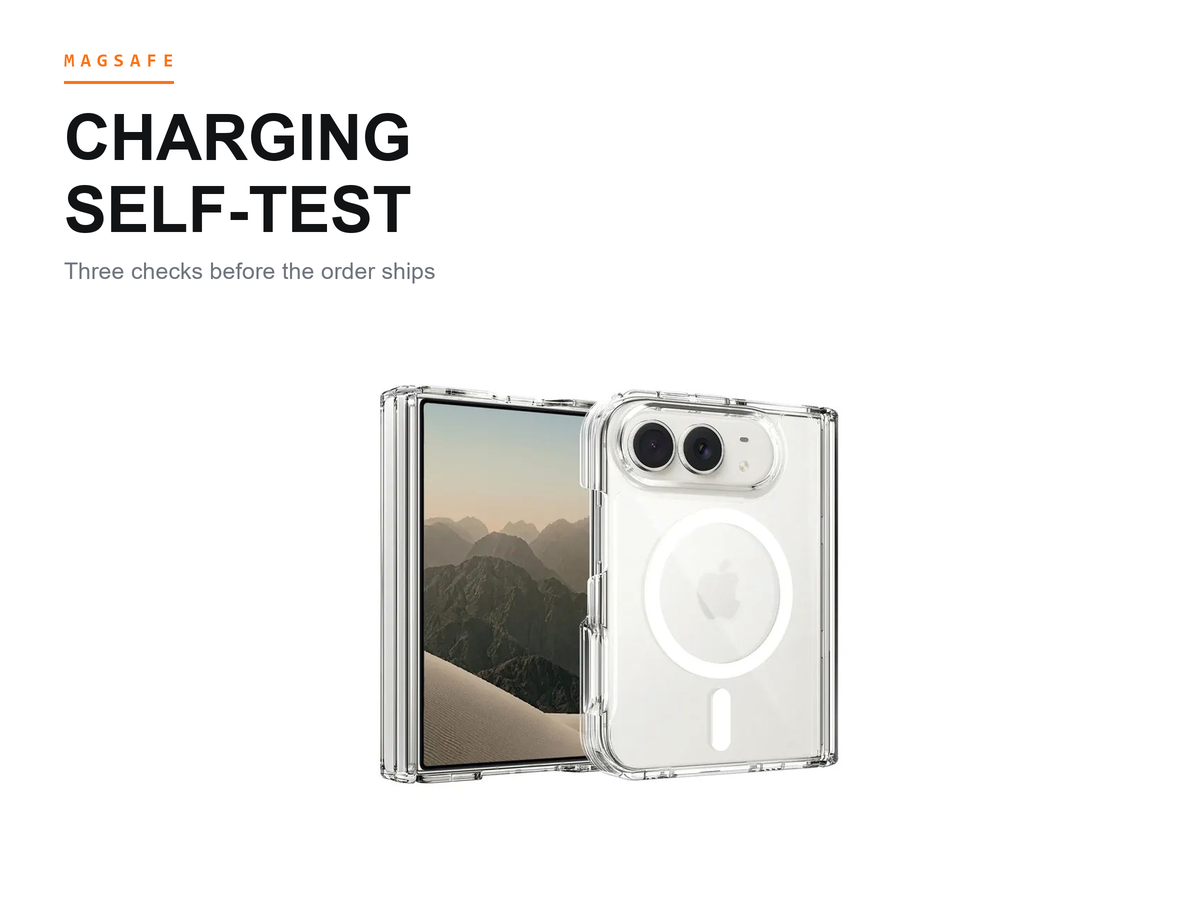
A case can slow wireless charging or stop it. Run the checks below on a sample before you commit to bulk: charge a phone through the case, watch how quickly the charge symbol appears, and see whether the ring keeps the phone centered on the pad. It is the checklist we hand buyers at iFunSmart in Guangzhou.
Last updated: October 7, 2026.
Why a Case Gets Between the Pad and the Phone
Every pad built for the wireless charging standard works the same basic way: the pad creates a field, the phone's coil catches it, and every layer between them decides how much of that field survives the trip. A case adds a layer. It also adds a magnet ring, and the ring has a job of its own — pull the phone to the right spot and hold it there.
Alignment between the coil and the ring means the charging coil inside the phone and the magnet ring inside the case sit on one center, so power moves into the battery instead of leaking away as heat. When the ring is molded off-center, or the case back sits too thick for the pad's reach, the charge weakens, starts and stops, or fails to start at all. None of that shows on a spec sheet. It shows the first time you set a cased sample on a pad, which is why this test belongs in your sampling round and not after the container lands.
The First Check: How the Charge Starts
Set the cased sample on the pad the way a customer would, and listen. A pad and a phone that agree make a small engagement sound and put the charge symbol on screen right away. Lift the phone, set it back down from a slight angle, and watch again. A well-placed ring self-corrects: the phone snaps to center and the symbol returns. A ring that lands off-center makes the phone hunt, and the symbol arrives late or does not arrive at all.
Run the same sequence on the bare phone first, so you know what normal looks like on that pad. The comparison is the whole measurement — you are not timing anything, you are watching whether the case changes the opening behavior. Then do it on the pad class your customers actually use, not on whichever charger sits on your desk. A counter pad, a car mount, and a bedside stand do not behave alike, and a case can pass on one and falter on another.
The Second Check: Heat and Dropouts
Leave the cased phone charging and rest your hand on the back of the case now and then. Warm is normal for wireless charging. Hot is not, and a hand can tell the difference without an instrument. A case that traps heat, or a misaligned ring that wastes power around the coil, turns a warm back into a hot one — and a hot phone protects itself by slowing or pausing the charge.
While you are there, watch for dropouts: the charge symbol appearing, vanishing, and coming back. Dropouts usually point at alignment rather than at the pad. Slide the phone a short distance toward an edge and back, and see how much drift the ring forgives before the charge stumbles. Heat is the quiet failure tell. A sample that charges straight through, warm but steady and centered, has passed the check customers feel first.
The Third Check: Where the Ring Sits When It Slides
Put the cased phone on the pad, nudge it, and watch whether it glides back to center or stays where you left it. If your customers charge with a wallet or a grip attached, repeat the nudge with the accessory on, because added weight changes how the ring copes with an off-center start. A ring that centers sharply and holds under a nudge will keep the phone inside the charging zone through the small bumps of daily use.
Magnet strength enters here. A stronger ring resists drift, which is why buyers who charge in cars or on shared counters often shortlist an N52 magnetic build instead of a case whose listing only says the word strong. Grade comparisons are a separate topic, and this article stays on method; what belongs here is the observable part. A ring that lets the phone wander off its spot will cost charging performance no matter how the listing words it.
Before you compare samples from two factories, ask each one where the ring sits in the mold and how the coil window is kept open, and put the two answers side by side.
Test on Samples, Not on Bulk
The right moment for this test is the sampling round. A sample in your hand costs a conversation; bulk stock that charges badly costs a season. Run the checks on every build you are considering, on the pads your market uses, and write the results back into your sourcing notes the same day: which build started instantly, which one ran cooler, which ring self-corrected from an angle. Those notes turn "the charge seemed fine" into a line you can put in front of a supplier.
Keep the results honest about their limits. A hand-feel test does not measure power, and a counter pad is not a laboratory. What a self-test does show is the difference between two builds under the same conditions, and that difference is what a stocking decision needs.
Common Questions From Buyers
Does case thickness affect wireless charging speed?
It can. Thickness is distance, and distance is what the pad's field has to cross. A slim hard-shell build keeps that path short; a crystal clear MagSafe build for the iPhone Duo in our own line is the construction we hand buyers who ask about the charge path first. A thick armored build adds travel, and on a marginal pad that travel can push the pairing past its tolerance. The honest summary: thickness is one factor among several, and the outcome depends on the charging pad and the phone model as much as on the case.
How do I spot an off-center magnet ring?
Watch the phone, not the listing. Set the cased phone on the pad and look from the side: an aligned ring lets the phone settle flat and centered with no wobble. Then start the charge from a slight offset and see whether the phone pulls itself back. Off-center rings tend to show up in the wallet test too — snap a magnetic wallet on and off a few times, and a mislocated ring leaves the wallet sitting skewed or twisting loose. If the ring looks centered but the charge still stumbles, ask the factory how the ring is located during molding; that answer is usually shorter than the dispute that follows.
Should I trust a supplier's charging claims on paper?
Treat paper as a starting point and samples as the verdict. Listing words are not checks; a charge symbol that appears promptly on your own pad is. We do not publish wireless charging test numbers for our own builds, because a number means little without the pad, the phone, and the ring position that produced it — what we do instead is get samples to you early enough to run this checklist yourself. Claims you can re-run are the ones worth keeping, and a self-test is the least expensive re-run there is.
What to Do Next
The checklist needs no equipment: one pad, one phone, one cased sample, and a little attention. Run it during sampling, note what each build does next to the others, and keep the builds that start on the first touch, run cool, and hold their center.
Ask iFunSmart for samples of the builds you plan to stock, and run this checklist on them before you confirm bulk.
Apple and iPhone are trademarks of Apple Inc. iFunSmart is an independent manufacturer of phone cases and accessories and is not affiliated with, authorized, sponsored, or endorsed by Apple.